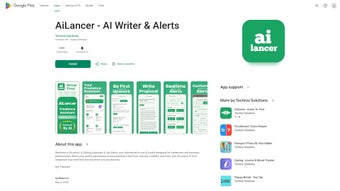

Download AiLancer – AI‑Powered Productivity Suite for Freelancers & Business Professionals
Overview
AiLancer is a cloud‑based, AI‑driven productivity suite built specifically for freelancers, solopreneurs, and small‑business professionals who need a single, secure platform to generate high‑quality marketing and business content. The application brings together a range of specialized modules—Gig Description Generator, LinkedIn Optimizer, Blog Writer, YouTube Script Engine, Cold‑Email Composer, Proposal Builder, and Business Plan Creator—so users never have to juggle multiple subscriptions or copy‑and‑paste between disconnected tools. Each module runs on the latest large‑language models that have been fine‑tuned for marketplace‑specific language, SEO best practices, and persuasive copywriting techniques. Because the platform is hosted in the cloud, updates to the underlying AI models are delivered automatically, ensuring that the output always reflects the most recent writing standards and search‑engine algorithms.
The interface is designed for speed: a short onboarding questionnaire captures your primary freelance platforms, preferred tone, and target audience, then the AI tailors every suggestion to match that profile. Whether you are crafting a Fiverr gig, polishing a LinkedIn headline, drafting a 1,500‑word blog post, or building a full business plan, AiLancer can produce a ready‑to‑publish draft in seconds. Security is baked in with end‑to‑end encryption, GDPR compliance, and an optional “local‑only” mode that keeps sensitive data on your device. Cross‑device synchronization lets you start a project on a Windows laptop, continue editing on a macOS desktop, and finish on an Android phone without losing any context. In a gig economy where every minute counts, AiLancer positions itself as the “Swiss Army knife” of AI‑enhanced productivity, promising to reduce repetitive writing tasks by up to 80 % and help freelancers close more deals faster.
Key Features, Compatibility, and Pros & Cons
- Gig Description Generator: SEO‑friendly proposals for Fiverr, Upwork, Freelancer.com, and niche marketplaces.
- LinkedIn Profile Optimizer: AI‑crafted headlines, summaries, and skill endorsements that attract recruiters.
- AI Blog Writer & Idea Generator: Full‑length articles, outlines, and headline suggestions tailored to any niche.
- YouTube Script & Video Idea Engine: Engaging scripts, thumbnail text, and video concepts designed to boost watch time.
- Cold‑Email Composer: Personalised outreach sequences with proven open‑rate formulas.
- Proposal Builder & Business Plan Creator: Structured, persuasive documents with financial forecasts.
- Multi‑Platform Sync: Seamless access on Windows 10/11, macOS Catalina or later, Android 8+, and iOS 13+.
- Security & Privacy Controls: End‑to‑end encryption, GDPR compliance, optional local‑only processing.
- Monthly AI Model Updates: Continuous improvements keep content fresh and SEO‑compliant.
- Custom Prompt Library: Save, organise, and reuse favourite prompts for faster turnaround.
Supported Operating Systems: Windows 10/11, macOS Catalina or later, Android 8.0 +, iOS 13 +. The cloud‑first design means you can begin a project on a desktop, switch to a tablet, and finish on a smartphone without any loss of functionality or data.
Pros
- All‑in‑one platform eliminates the need for multiple niche subscriptions.
- AI models are updated monthly, keeping content aligned with the latest SEO trends.
- Customisable prompts adapt to any industry, from tech writing to graphic‑design services.
- Robust security (AES‑256 encryption) protects client data and ensures GDPR compliance.
- Intuitive UI shortens the learning curve; non‑technical users can generate content in minutes.
- Cross‑device synchronization guarantees a seamless workflow for remote freelancers.
Cons
- Premium pricing may be a hurdle for brand‑new freelancers on a tight budget.
- Most AI functions require an internet connection; offline mode is limited to cached prompts.
- Advanced model fine‑tuning is reserved for the enterprise tier.
- The onboarding questionnaire, while useful, can feel lengthy for users seeking a quick test.
Installation & Daily Workflow: Getting the Most Out of AiLancer
Starting with AiLancer is intentionally straightforward. After selecting the 14‑day free trial or purchasing a subscription, you receive a secure download link compatible with Windows 10/11, macOS Catalina or later, Android 8+, and iOS 13+. Desktop users run the installer, accept the licence agreement, and the wizard creates a dedicated folder in C:\Program Files\AiLancer (or the macOS Applications directory). Mobile users tap the .apk or .ipa file and follow on‑screen prompts. Once installed, launch the app and sign in using your email or single‑sign‑on (SSO) credentials; enabling two‑factor authentication is strongly recommended for added security.
The first‑time login triggers a concise onboarding wizard that asks about your primary freelance platforms, preferred content types, and brand voice. This information feeds directly into the AI’s contextual model, ensuring every output aligns with your unique style. The main dashboard is divided into clearly labelled modules—Gig Builder, Blog Hub, Video Studio, Outreach Suite, and Business Docs—each represented by a large, clickable icon.
To create a Fiverr gig, navigate to Gig Builder, select “New Gig,” choose a template (e.g., “SEO Writing”), and enter a handful of keywords. Within seconds AiLancer produces a polished description, tiered pricing, and a set of FAQs ready for copy‑and‑paste. For recurring blog posts, go to Blog Hub, set a publishing calendar, pick topics from the Idea Generator, and let the AI draft outlines overnight. The “Review & Edit” pane offers real‑time suggestions for tone, readability, and SEO score, giving you full editorial control.
All finished files can be exported directly to Google Drive, Dropbox, or OneDrive, or downloaded as .docx or .pdf. Mobile users benefit from the “Quick Capture” button, which lets you record ideas on the go; those notes sync instantly across devices. Background updates keep the AI models current without interrupting your workflow, and a built‑in Help Center provides searchable articles, video tutorials, and live chat with AI‑trained support agents for rapid issue resolution.
Frequently Asked Questions & Final Thoughts
Can I use AiLancer for multiple freelance platforms at once?
Yes. The Gig Builder includes templates for Fiverr, Upwork, Freelancer.com, and niche marketplaces. You can store separate profiles and switch between them with a single click.
Is my data safe when I generate content on the cloud?
AiLancer uses end‑to‑end AES‑256 encryption, complies with GDPR and CCPA, and offers a “Local‑Only Mode” that processes data on your device without uploading it.
Do I need a powerful computer to run AiLancer?
The heavy AI processing occurs on AiLancer’s servers, so a modest laptop or even a mid‑range smartphone is sufficient. A stable internet connection is the only real requirement.
How often does AiLancer receive updates?
AI model improvements are released monthly, while minor bug‑fix patches are rolled out weekly. All updates are applied automatically.
Is there a free version or trial available?
AiLancer offers a 14‑day free trial with full access to every module. After the trial you can choose a monthly subscription or an annual plan that includes a 20 % discount.
Conclusion – Should You Download AiLancer?
For freelancers who juggle multiple client channels, content‑creation tasks, and business development activities, AiLancer delivers a truly unified, AI‑driven experience that can shave hours off weekly workloads. Its extensive feature set—spanning gig writing, blog generation, video scripting, and professional outreach—means you no longer need to piece together a patchwork of niche tools. While the price reflects premium capabilities, the productivity gains and potential revenue boost often offset the cost within a few months of active use. If you value security, cross‑device flexibility, and a constantly improving AI engine, downloading AiLancer today is a strategic move toward scaling your freelance business.
Ready to supercharge your freelance workflow? Click here to download AiLancer and start your free trial. Transform the way you work—one AI‑generated line at a time.
AiLancer offers an impressive suite of AI tools that cater specifically to freelancers and business professionals. Its intuitive interface, robust feature list, and seamless cross‑platform synchronization make it a standout choice for anyone looking to streamline their workflow and increase productivity.



.png)



